
What Every Section Of Star Trek: The Next Generation's USS Enterprise Bridge Does
We may receive a commission on purchases made from links.
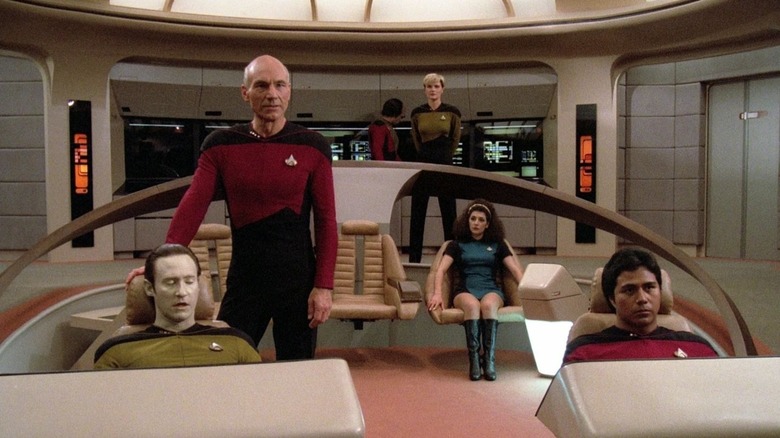
Fans of "Star Trek: The Next Generation" have been looking at the bridge of the USS Enterprise-D for so many years that its design seems natural and peerless. Unlike on the original "Star Trek," the Enterprise was now carpeted and well-lit, giving the entire ship a posh, more comfortable feeling. On the bridge, the captain's chair was cushier and comfier, flanked by two equally comfy office chairs where the captain's first officer and counselor sat. The tactical station was located on a large, extended curving wooden panel that rested in the center of the bridge, wrapping around the three command chairs like a giant horseshoe.
Two control stations were located in front of the captain, operating the actual maneuvering of the ship, and all the chairs faced a large viewscreen at the front of the room. In most cases, the viewscreen served as a large digital windshield, letting the crew all look out on the stars through which the Enterprise was trekking. At other times, it was a communication screen, allowing officers to converse, visually, with other ships.
At the rear of the bridge were a series of computer stations where various officers were seen working and puttering away. Trekkies know what those rear stations were used for, and various "Star Trek" sourcebooks, including "Star Trek: The Next Generation 365" and "Star Trek: The Next Generation Technical Manual," explain exactly what was done back there.
From a production standpoint, the rear computer stations caused a lot of lighting headaches, as the set lights and boom mics would be reflected in those panels. On the Blu-rays, one can frequently see black pieces of construction paper taped to those rear computers.
But in the canon of the series, what did each of those stations on the bridge do? Let's break it down.
The three primary stations are tactical, ops, and conn
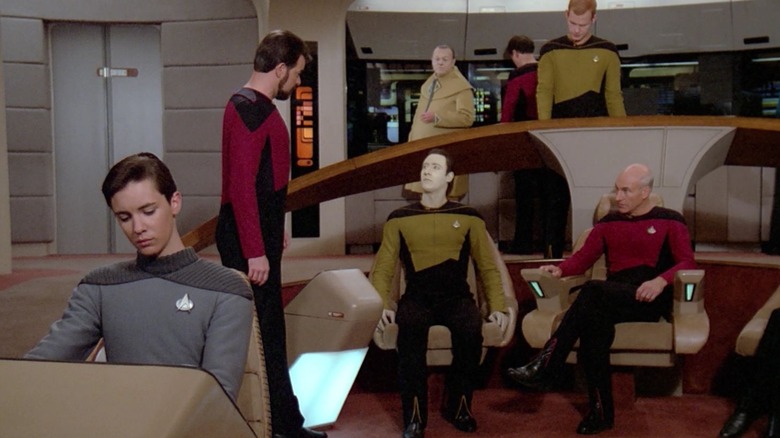
Imagine you're sitting in the central captain's chair on the bridge of the USS Enterprise. Behind you, looking down at the top of your head, is the tactical officer. After the first season of "Next Generation," Worf (Michael Dorn) served as the tactical officer, and used the Tactical station. The Tactical panel was operated from a standing position, and used to activate the phasers or photon torpedoes according to captain's orders. Hailing channels were handled by tactical, and this location was also where all matters of ship security were handled, as Worf served as the Enterprise's chief security officer.
At the front of the bridge to the captain's right was the Conn station, short for control. This was the navigation console where the ship was steered. It's the helm of the vessel. You might recall Captain Picard (Patrick Stewart) giving out directions about which heading the ship should follow. Steering in three-dimensional space likely required a lot of complex computer inputs, and the conn officer was responsible for entering the desired headings. Weirdly, ensigns and other less-experienced officers were typically seen at Conn, including acting ensign Wesley Crusher (Wil Wheaton, who eventully left the series). Apparently, steering the ship was a simple enough task that low-ranking officers could handle it.
To the captain's left was the Ops station, short for operations. This station oversaw the technical functions of the ship as they related to bridge efficiency. Data (Brent Spiner) usually sat at Ops, and he was the one who oversaw life support. In the "Technical Manual," it's made explicit that Ops also oversees the allocation of resources (so, for example, no two departments use the same scanner at the say time). Ops also oversees away teams, and gets a general status on the state of the ship/computers/etc.
The aft consoles on the USS Enterprise
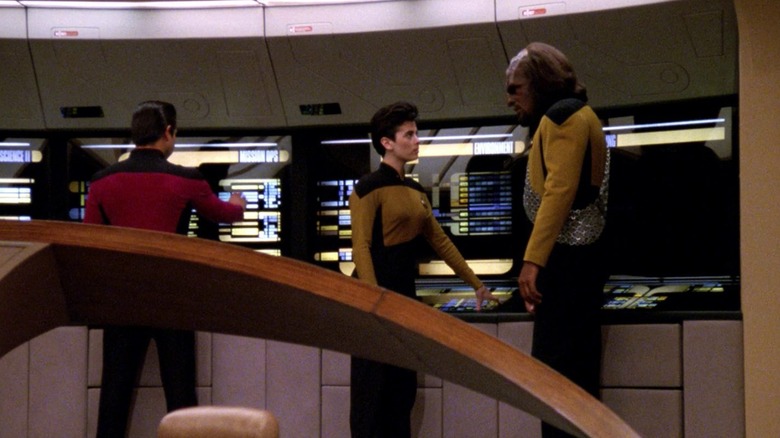
There were five separate computer consoles in the aft section of the USS Enterprise bridge, usually in heavy operation right behind the tactical officer.
If you were standing in the middle of the bridge, facing the captain, the two left-most stations would be Science I and Science II. According to the "Technical Manual," these stations didn't have permanent officers assigned to them. As their names imply, they both provided in-depth scientific information. They could be used for special projects and to coordinate larger scientific studies being used in labs throughout the ship.
In the middle of the aft computer bank was the Mission Ops station, which essentially provided detailed backup for the Ops station. It provided more in-depth information and controls to the central operations, and could even back up tactical matters; there have been scenes of officers tracking enemy ship locations at the Mission Ops station.
To the right of the Mission Ops station was the Environment station. This computer oversaw life support on the Enterprise. It controlled the air, gravity, and temperature. Usually, life support was automated, but the Environment station could be used in a crisis. If there was a power outage on the Enterprise, unpopulated parts of the ship could have their air shut off to save power.
Finally, to the extreme right of the aft computers was the Engineering station, most often accessed by the ship's chief engineer, Geordi La Forge (LeVar Burton). Geordi could oversee a lot more of the Enterprise's engines from Main Engineering, but if he was also needed on the bridge, he had remote control of Main Engineering through this console.
Now that you have all this information, you'll just need a crack squad of genius Starfleet officers, and you can fly the Enterprise yourself!